1. While every effort has been made to insure the accuracy of the information presented, and special effort has been made to assure that the information reflects the state-of-the-art, neither the American Wood Council nor its members assume any responsibility for any particular design prepared from this on-line Connection Calculator.
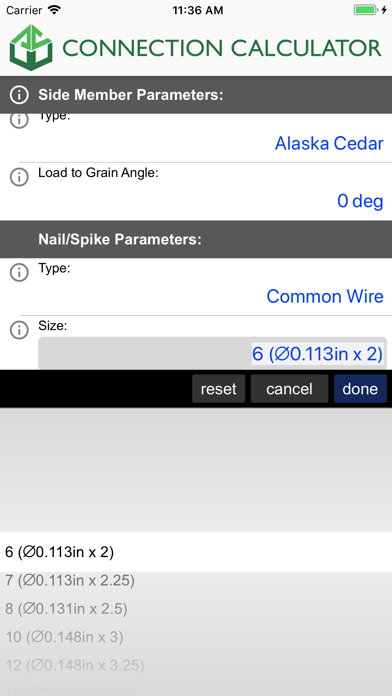
2. The on-line Connection Calculator is based on design equations for lateral loading and withdrawal loading specified in NDS Chapters 10 and 11, along with fastener characteristics specified in NDS Appendix L.
3. · Bolts, lag screws and wood screws must not be forcibly driven into connection members with a hammer or other impact device.
4. · Adequate edge distances, end distances and spacing must be provided for all fasteners to prevent splitting of wood connection members, in accordance with NDS Chapter 11.
5. Connection capacities are calculated on the basis of design provisions in the 2024 National Design Specification® for Wood Construction (NDS®).
6. The quality of structural wood products and fasteners and the design of load-supporting members and connections shall conform to provisions of the NDS.
7. · The on-line Connection Calculator does not address fasteners subjected to combined lateral and withdrawal loading.
8. · The on-line Connection Calculator does not address connections with gaps or non-structural spacer blocks between members.
9. · Bolts and lag screws must meet the requirements of ANSI/ASME B18.2.1, wood screws must meet the requirements of ANSI/ASME B18.6.1, and nails must meet the requirements of ASTM F1667.
10. · Bolts, lag screws and wood screws must be installed in predrilled lead holes in accordance with the provisions of NDS Chapter 11.
11. · The on-line Connection Calculator does not address fasteners installed at an angle to grain (e.g., toe-nails).
Если вам нравится AWC Connection Calc, вам понравятся Productivity такие приложения, как; Top of Mind - Daily Quotes; GG AI Протокол; My Units Converter Pro; Spreadly; Color Scanner: ColorScan AI; Custom Video Speed for YouTube; AzanMaster; Real Time Tasks; LinkMyDrop; Photo to PDF Converter Editor; Pastey - Буфер обмена!; Claw AI Chat; Ax.c; 妙语键盘-高情商智能恋爱聊天神器; emoVPN; JPG to PDF - PDF Convertor; Fast & Easy Doc Scanner; EndNote; Сканер PDF - Сканирование документов; ProductApp PPG;