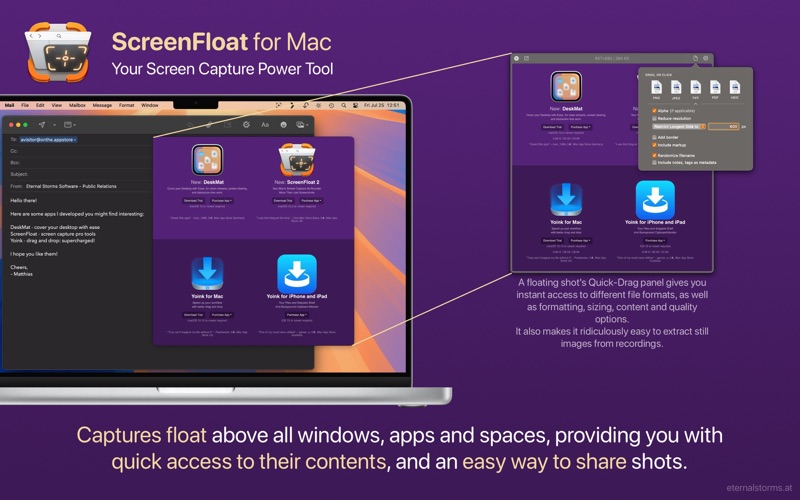
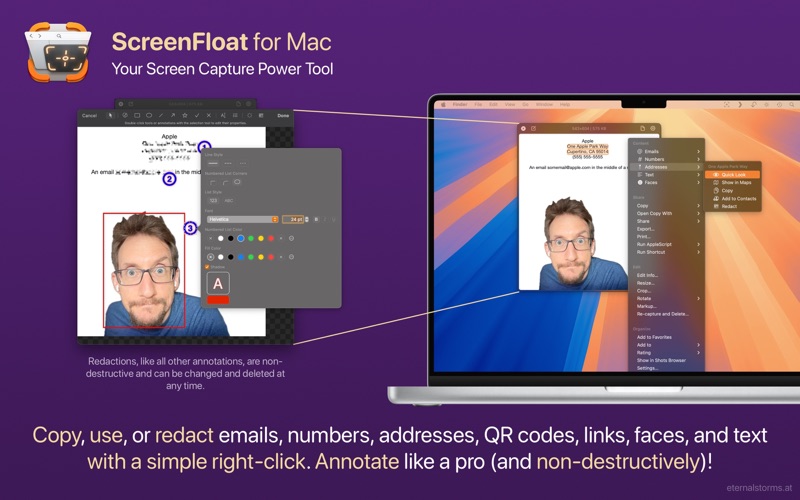
1. From capturing screenshots and recordings over editing, annotating, redacting and running data-detection on them to storing, organizing and syncing them, ScreenFloat is your all-in-one screen capture tool.
2. Capture screenshots, timed screenshots and screen recordings with a keyboard shortcut, the menu bar icon, or a widget.
3. ScreenFloat's Shots Browser keeps a library of your captures, where you can name, tag, rate, favorite and organize them.
4. Effortlessly recapture shots without having to painstakingly reframe the capture area.
5. By default, shots you capture float above all apps so you can reference their contents, or use them as a reminder.
6. ScreenFloat 2 is your powerful screen capture hub.
7. Create Shots from content on your clipboard, or import from your iPhone or iPad.
8. ScreenFloat 2: More than just screenshots.
9. The available in-app purchases are completely voluntary tips and do not unlock any additional features.
10. All this aside: ultimately, software needs to be tested personally to see if it fits one's needs.
11. “I have used numerous screenshot applications.
Если вам нравится ScreenFloat—Pro Screen Capture, вам понравятся Productivity такие приложения, как; Top of Mind - Daily Quotes; GG AI Протокол; My Units Converter Pro; BoxtUp; Spreadly; Color Scanner: ColorScan AI; ZGestión Cloud; Custom Video Speed for YouTube; AzanMaster; AI Signature Maker ° Generator; Amano Pro; f3 vpn 13; Astro VPN - быстрый сетевой п; Real Time Tasks; quicklook; VPN - Super Secure Lite Proxy; LinkMyDrop; Author; Photo to PDF Converter Editor; Pastey - Буфер обмена!;