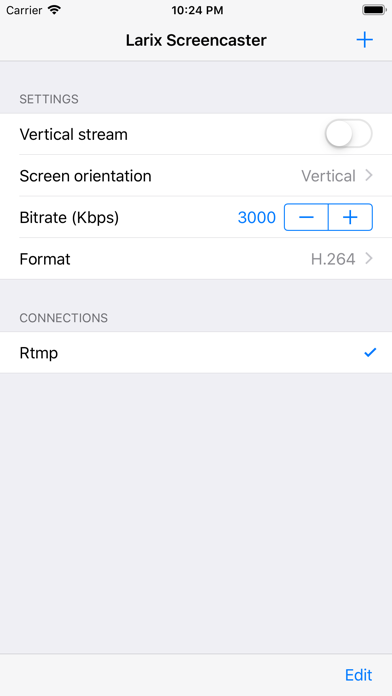
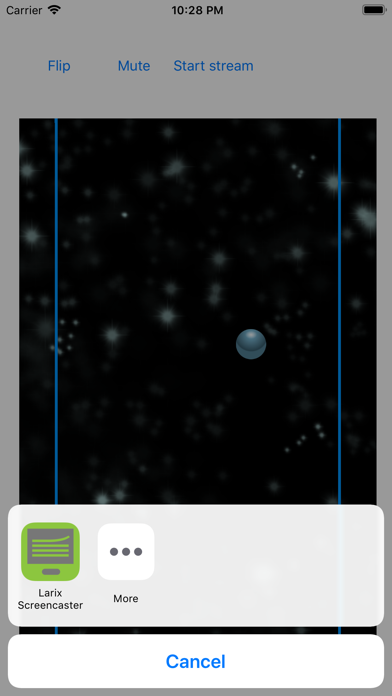
1. Stream mobile gameplay to Twitch or Kick, share your screen during live sessions, or feed a remote production via SRT or Zixi - Larix Screencaster turns your screen into a live broadcast source.
2. Stream your iPhone or iPad screen live - to any platform, server, or production switcher.
3. Stream to up to 3 destinations simultaneously - Twitch, YouTube, Nimble Streamer, Wowza, or any custom server.
4. Works with Twitch, Kick, YouTube Live, Facebook Live, and any RTMP-capable platform.
5. Server support includes Nimble Streamer, Wowza, Red5, Flussonic, Dacast, Akamai, and Limelight CDN.
6. Stream to any media server or platform that accepts these inputs.
7. SRT (Caller, Listener, Rendezvous modes), RTMP/RTMPS, WebRTC/WHIP, Zixi, RTSP/RTSPS, and RIST.
8. Adaptive bitrate streaming (ABR) with logarithmic descent and ladder ascent modes.
9. No capture card, no desktop, no external hardware required.
10. HEVC over RTMP via Enhanced RTMP spec.
11. Full unlimited streaming to any destination.
Если вам нравится Larix Screencaster, вам понравятся Utilities такие приложения, как; Baby Dummy Stickers; SIMPLE Mobile My Account; Newroz 4G LTE; PDFer-Water Marker Tool; AboutMyDevice: See device info; 字体大全-手机字体下载安装和美化; CLAI 官方中文版; DOM Update; AI智能周报生成器; Kuching Marathon App; 公文宝-公文写作; Neutron NMSS AHD; ARTIGER-MOTOR; DTaskInfo; Отслеживание посылок!; 中华日历-专业万年历黄历农历工具; Paylio Cancel Subscriptions; Brainrot Cat Soundboard; Ummah: A Living Salah Globe; Kestrel: SSH & Server Manager;