1. If everything looks good, place your iPhone in the car where it has good GPS reception and is held securely, then start the acceleration test.
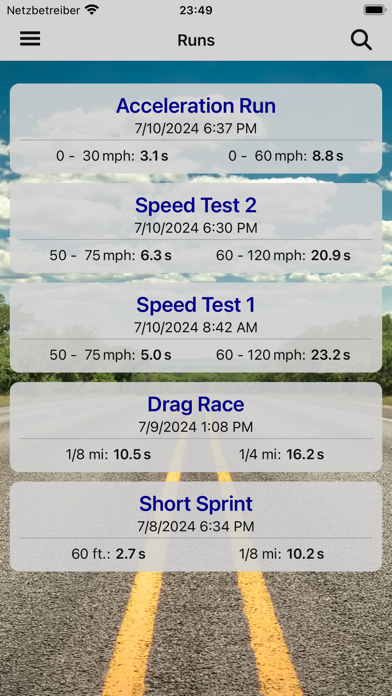
2. Measure acceleration times such as 0–60 mph, 60–120 mph and 1/4 mile directly with your iPhone — accurately and without extra hardware.
3. Check the timer settings on the start screen.
4. You can adjust the timer configuration in the Settings screen (just tap the relevant timer).
5. Preset timers: 60 ft, 1/8 mile, 1/4 mile, 1/2 mile, 1 mile, 0 – 60 mph, 0 – 120 mph, 50 – 75 mph, 60 – 120 mph, 0 – 100 km/h, 0 – 200 km/h, 80 – 120 km/h, 100 – 200 km/h.
6. Measurements then start automatically — when the target speed is reached or when a start is detected.
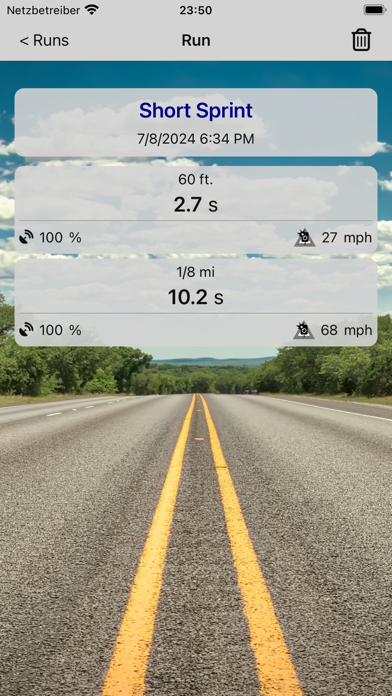
7. You can save results locally on your iPhone and, if needed, export them or transfer them to other devices.
8. Then return to the race screen and follow the previous instruction.
9. The app is designed so it doesn’t need to be operated while driving; you just set everything up beforehand while stationary.
10. All timers are, of course, fully adjustable.
11. The free version measures up to two times per run.
Если вам нравится GPS Race Timer, вам понравятся Utilities такие приложения, как; GameBoost: Lower Ping & Lag; Código Diagnóstico Mirage;