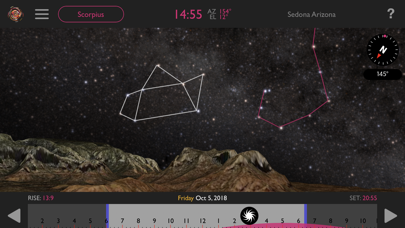
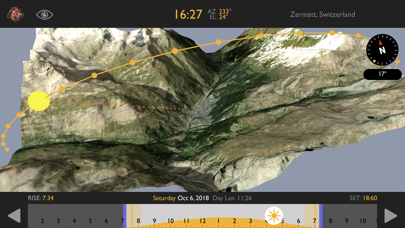
1. The greatest challenge faced ny photographers and cinematographers when shooting on location is predicting where the sun, moon or stars might be at any given moment, to create the best visual effect.
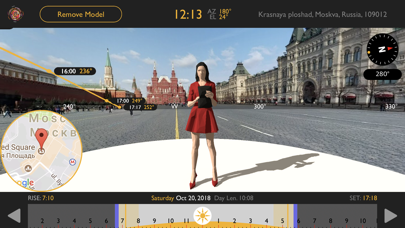
2. Virtual Stand-Ins of people, animals & vehicles can be placed to view how the sun or moon might light them.
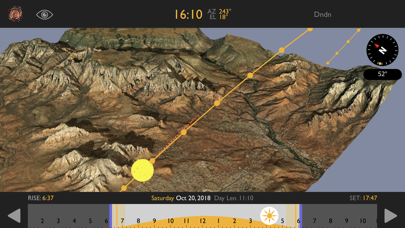
3. The new features in Helios Pro mean you can be in a meeting and show everyone how the light will travel in a 3D rendering of an exterior location on the exact day we plan to shoot.
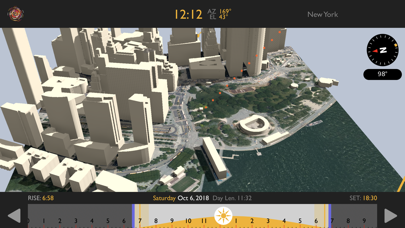
4. Using the same tools as 3D Landscape view, this is for use in urban settings, where building throw shadows, depending on where the sun might be at any given time.
5. Again, Virtual -Stand-Ins can be used to help visualize how light might make subject look different at various times during the day.
6. "Helios has become an indispensable tool in my work... With the addition of AR in Helios Pro the level of preparedness for all departments is that much higher.
7. Helios Pro is invaluable for scouting and scheduling the day to chase the light and capture it.
8. Artemis is the most effective way to find common compositional ground with directors and camera operators, and is especially great for large format cameras like the Alexa 65 and the LF.
9. To have the ability to overlay 3D models of people, buildings or vehicles to see just how the light falls on them throughout the day is incredible.
10. Just frame up the shot you want to do, and observe where the sun might be at any time, on any day in the future.
11. “Both Artemis Pro and Helios Pro have become indispensable tools for me.
Если вам нравится Helios Location Light Pre-Vis, вам понравятся Photo & Video такие приложения, как; 动漫拍拍拍 - 一键生成动漫视频和图片; Create AI Video - AI Movie; Video Saver - Video Downloader; Love Photo Frames - 2024; OBS Controller; Media Protector: Stop Tracking; Ezy Video Editor: Trim & Crop; ScreenshotApp; BlackVideo (One-Touch Rec!); iCasei | Lista de Casamento; AI Baby Maker:Face Generator; Video Saver - Convert & Edit; Hug Ai - Ai videos; Photo Print - Collage & Resize; Vega AI: AI Video Generator; Glam ИИ: Редактор Фото и Видео; MY MechatroWeGo PLUS; AI Photo Enhancer - FxAI; Slide show Photos - Pix Folio; RedactThat Editor;