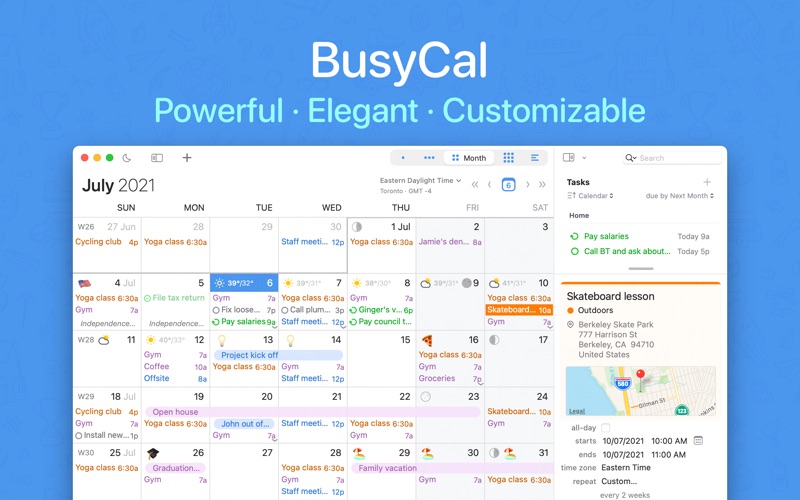
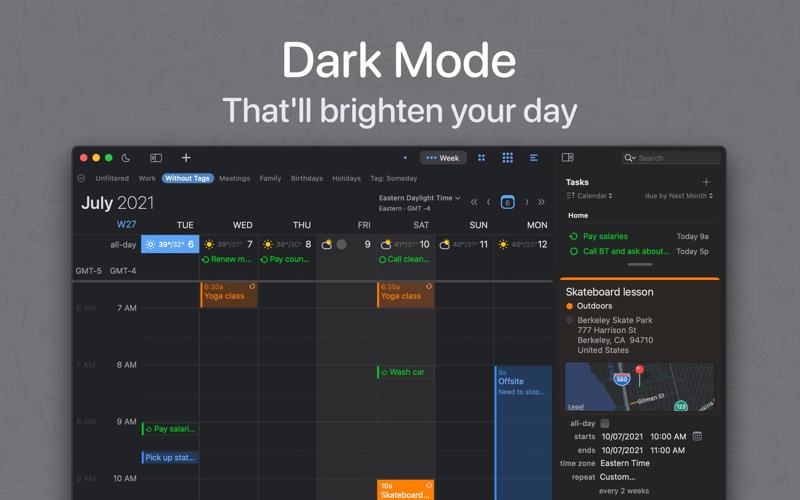
1. It's packed with innovative, time-saving features including customizable views, calendar sets, integrated tasks, travel time, smart filters, natural language input, weather, moons, graphics, tags, do not disturb mode and much more.
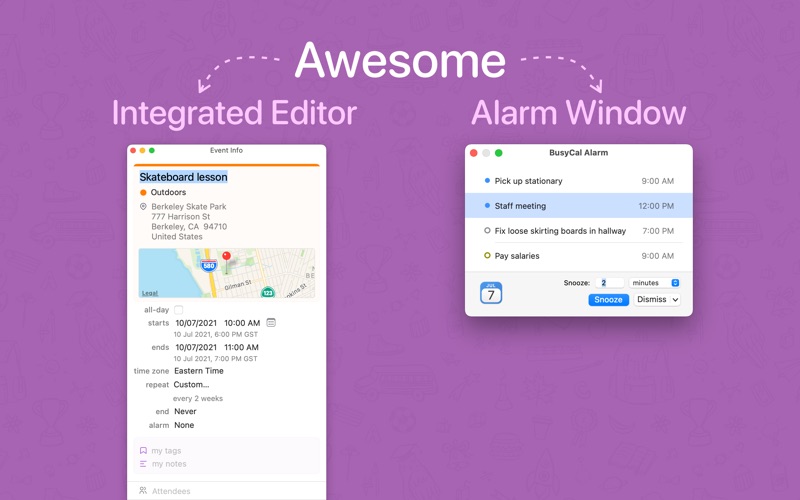
2. BusyCal displays alarms in a movable, resizable floating window that offers the ability to snooze an alarm for any number of minutes from now or before the start of an event, or snooze multiple alarms at once.
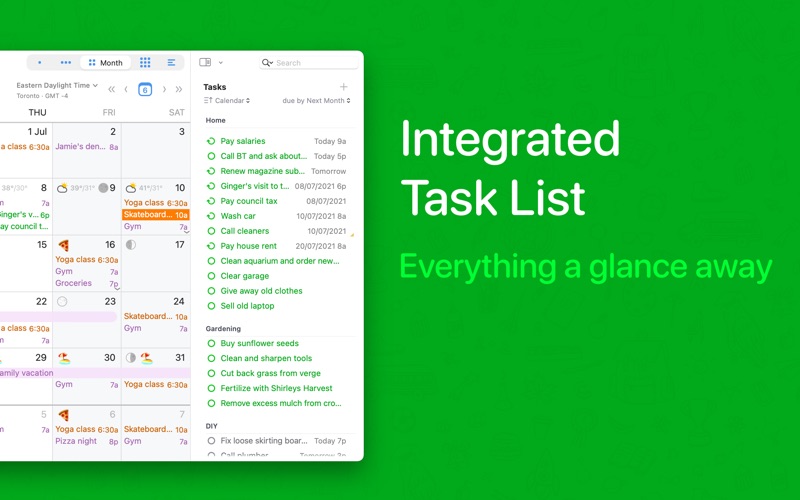
3. In BusyCal, Tasks are integrated into your calendar, display on the date or time they are due, and carry forward until completed.
4. Smart Filters can be accessed with a keyboard shortcut or a button on the toolbar to display calendar sets (showing/hiding multiple calendars), perform saved searches (events that contain 'Joe'), apply view settings (an 8-week month view) and much more.
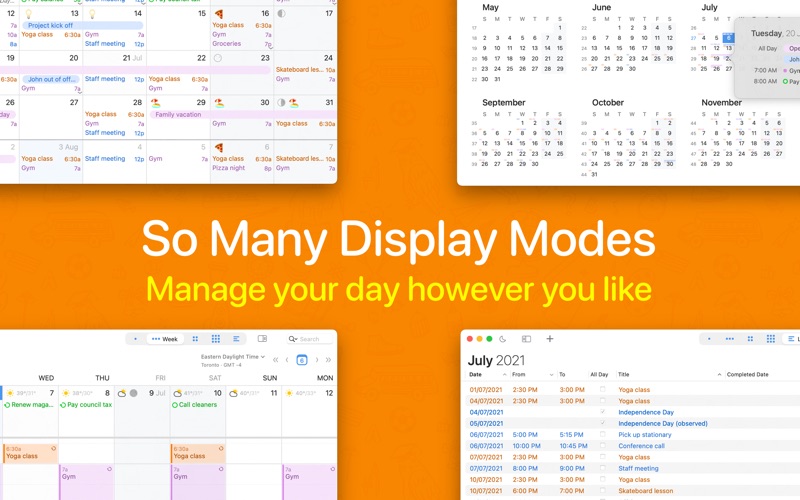
5. BusyCal displays your calendar in Day, Week, Month, Year and List views.
6. You can choose the number of weeks shown per month, or days shown per week, and you can even customize the calendar's appearance by choosing a font face and size, calendar colors, time format, work week and a lot more.
7. BusyCal allows you to block out time for walking, driving or taking mass transit to an event or location.
8. By adding contacts to events in BusyCal, you have instant access to a contact's email address and phone number, as well as a record in BusyContacts of your interactions with them.
9. BusyCal supports iCloud, Reminders, Todoist, Google, Exchange, Office 365, CalDAV, Fastmail, Custom CalDAV Servers, Zoom, Google Meets, GoToMeeting, LAN sharing as well as WebDAV subscriptions.
10. BusyCal lets you add graphics to your calendar to highlight holidays and special events.
11. BusyCal's Smart Filters are a powerful tool for managing your calendar.
Если вам нравится BusyCal, вам понравятся Productivity такие приложения, как; Top of Mind - Daily Quotes; GG AI Протокол; My Units Converter Pro; BoxtUp; Spreadly; Color Scanner: ColorScan AI; ZGestión Cloud; Custom Video Speed for YouTube; AzanMaster; AI Signature Maker ° Generator; Amano Pro; f3 vpn 13; Astro VPN - быстрый сетевой п; Real Time Tasks; quicklook; VPN - Super Secure Lite Proxy; LinkMyDrop; Author; Photo to PDF Converter Editor; Pastey - Буфер обмена!;