1. Because every time you open a new web page, HTML source will be updated automatically, it is also useful to check the entire site.
2. HTML source is also updated in real time when you open a new page.
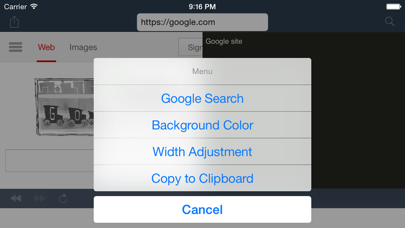
3. Browser screen left, the right to display the HTML source at the same time .
4. Corresponding to search Google, it is a two-screen HTML Viewer.
5. Unlike the HTML Viewer to display the hit URL, you can use "Google Search".
6. You can check the HTML source to compare left and right.
7. If loading time is too long, you had better changing background color to "Blue".
8. Because it corresponds also "Google search", you do not need to directly hit the URL.
9. *Syntax Highlighter is heavy process.
Если вам нравится HTML Dual Viewer, вам понравятся Utilities такие приложения, как; Battery & CPU Usage Widget; PRO TREK Connected; 文字转语音王; Hard Hat Snowman Stickers; Coordinate UTM Converter; Polar Bear Crown Stickers; DarkSight App; Cupid Moose Stickers; Handshake Panda Stickers; IONIQ 5 Companion; Halt Girl Stickers; Export Photo Filenames; 1nefeed; PC Monitor & Control; Журнал Раскроя Одежды; Good Luck Rhino Stickers; OfflineVault; Heat Exchanger Evaluation; Anniversary Piglet Stickers; ATS Load Calculator;